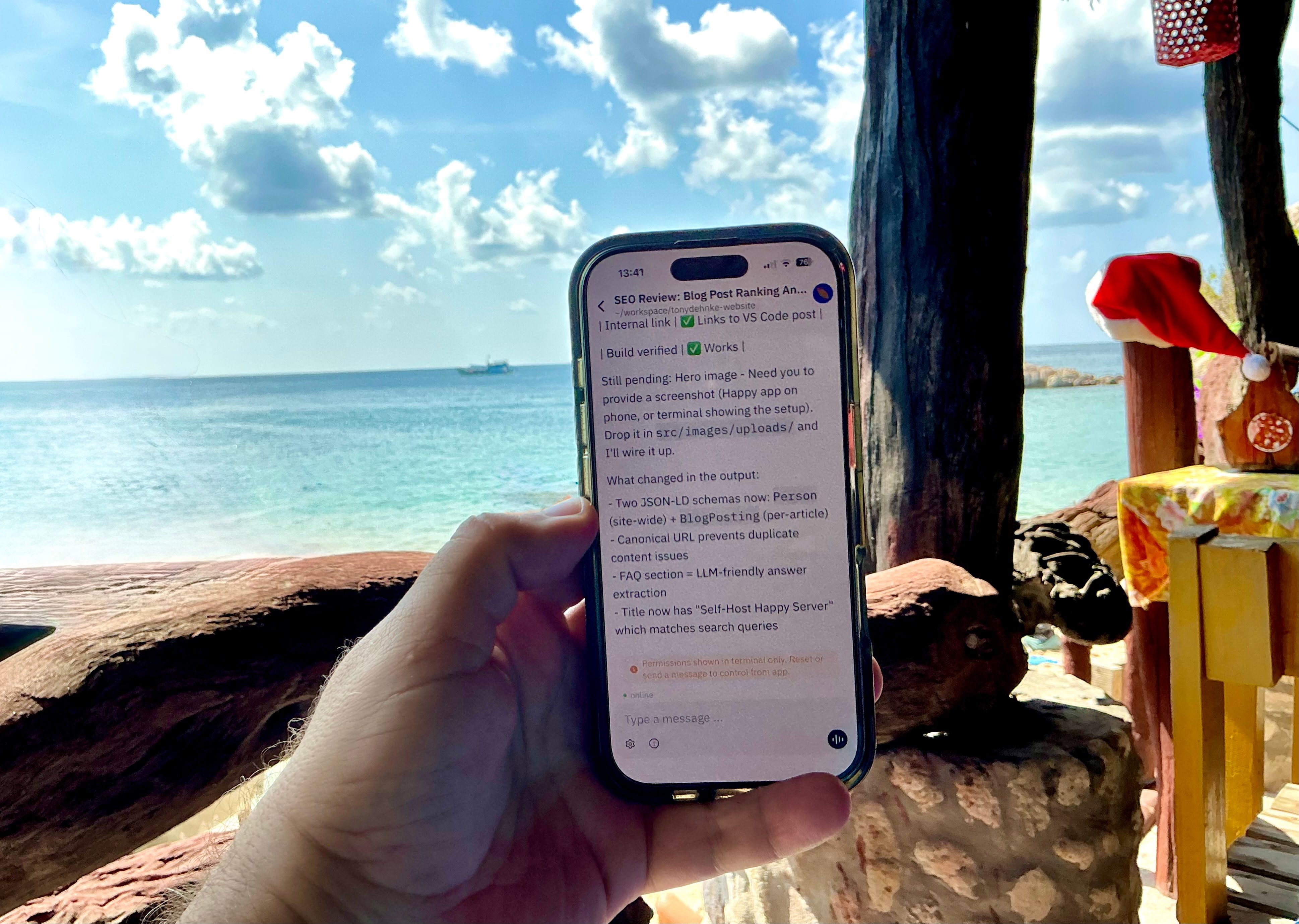
Self-Host Happy Server for Claude Code on iPhone/iPad (Free)
Want to control Claude Code from your iPhone or iPad? The Happy mobile app makes this possible - you can run prompts, review code, and manage sessions right from your phone.
But there’s a catch: Happy’s servers aren’t always reliable. And sending your code through someone else’s infrastructure? Not ideal.
The fix: self-host it. It’s free, private, and takes about an hour.
TL;DR: Deploy happy-server-light via Docker, use Tailscale for private HTTPS access, configure the Happy iOS app to use your server. Full reliability, zero cost, complete privacy.
Note: When I say “we” throughout this post, I mean me and Claude Code. Claude helped research options, write the Docker configs, debug issues, and document the whole process.
Why Self-Host?
Three reasons:
- Reliability - My server, my uptime
- Privacy - Traffic stays on my network
- Learning - Fun side project
The Setup
After some research, I landed on this stack:
- happy-server-light - A lightweight fork that uses SQLite instead of PostgreSQL. No Redis needed. Perfect for personal use.
- Tailscale - Zero-config VPN mesh. My devices connect securely without exposing anything to the public internet.
- Hetzner - Already had a server running there (or use whatever service you like for a server.
What You’ll Need
- A Linux server (I use Hetzner, but any VPS works)
- Docker and Docker Compose installed
- Tailscale account (free tier is fine)
- Happy app on your phone
Step 1: Install Tailscale Everywhere
On your server:
curl -fsSL https://tailscale.com/install.sh | sh
sudo tailscale up
Follow the auth link. Note your server’s Tailscale IP (looks like 100.x.x.x).
Install Tailscale on your Mac and iPhone too. Same account. Now all your devices can talk to each other privately.
Step 2: Clone and Configure
cd /opt
git clone https://github.com/leeroybrun/happy-server-light.git
cd happy-server-light
The repo has TypeScript build issues. I worked around this by creating a custom Dockerfile that runs TypeScript directly instead of compiling:
# Dockerfile.fixed
FROM node:20
RUN apt-get update && apt-get install -y python3 ffmpeg && rm -rf /var/lib/apt/lists/*
WORKDIR /app
COPY package.json yarn.lock ./
COPY ./prisma ./prisma
RUN yarn install --frozen-lockfile --ignore-engines
COPY ./tsconfig.json ./tsconfig.json
COPY ./sources ./sources
ENV NODE_ENV=production
EXPOSE 3005
CMD ["yarn", "start"]
Create docker-compose.yml:
services:
  happy-server-light:
    build:
      context: .
      dockerfile: Dockerfile.fixed
    container_name: happy-server-light
    ports:
      - "3005:3005"
    environment:
      - PORT=3005
      - DATABASE_URL=file:/data/happy-server-light.sqlite
      - PUBLIC_URL=https://your-server.your-tailnet.ts.net
      - HAPPY_SERVER_LIGHT_DATA_DIR=/data
      - HAPPY_SERVER_LIGHT_FILES_DIR=/data/files
    volumes:
      - happy-data:/data
    restart: unless-stopped

volumes:
  happy-data:
Build and start:
docker compose up -dInitialize the database:
docker exec happy-server-light yarn db:pushStep 3: Enable HTTPS with Tailscale Serve
iOS blocks plain HTTP connections. Tailscale Serve creates an HTTPS proxy automatically:
sudo tailscale serve --bg 3005First time, you’ll need to enable Serve in your Tailscale admin console when prompted.
Your server is now available at https://your-server.your-tailnet.ts.net
Step 4: Configure Your Devices
On Mac:
If you’re already logged into Happy’s official servers, clear the old credentials first:
rm ~/.happy/access.keyAdd to ~/.zshrc:
export HAPPY_SERVER_URL=https://your-server.your-tailnet.ts.netThen:
source ~/.zshrc
happy login
This generates a QR code and a login URL.
On iPhone/iPad:
- Make sure Tailscale VPN is connected
- Open Happy app
- If you’re already logged into Happy (using their servers), log out first
- Tap the Database icon in the top right corner
- Enter your custom server URL and verify it connects
- Copy the login URL from your Mac terminal and paste it in Safari on your phone (QR scanning was flaky for us)
Done!
Issues We Hit (and Fixed)
| Issue | Fix |
|---|---|
| TypeScript build errors | Custom Dockerfile using yarn start (tsx) instead of building |
| 401 errors on first request | Run docker exec happy-server-light yarn db:push to create tables |
| iOS “Failed to connect” | iOS blocks HTTP. Use Tailscale Serve for automatic HTTPS |
| Can’t set custom server URL | Log out of existing Happy session first, then Database icon appears |
| QR code scan not working | Copy the login URL from terminal and paste in Safari instead |
Maintenance
# Restart
docker compose restart

# View logs
docker logs happy-server-light --tail 100 -f

# Update
git pull && docker compose build && docker compose up -d

# Backup
docker cp happy-server-light:/data/happy-server-light.sqlite ./backup.sqlite
Was It Worth It?
Yes. Took about an hour to set up (with some trial and error). Now I have reliable mobile access to Claude Code that doesn’t depend on someone else’s servers.
The combo of happy-server-light + Tailscale is simple and secure. No public exposure, no complex networking, no Redis or Postgres to manage.
Links
- happy-server-light - The lightweight server we used
- Happy Engineering - The mobile app
- Tailscale - Zero-config VPN
- Official self-hosting docs - For reference (we didn’t use the official server)
FAQ
Is Happy open source?
Yes. Both the Happy mobile app and happy-server-light are open source. Your code is encrypted end-to-end using the same encryption as Signal.
Can I use this without Tailscale?
Yes, but you’d need to configure HTTPS yourself (Let’s Encrypt, Caddy, etc.) and expose your server to the public internet. Tailscale keeps everything private with zero config.
Does this work with Codex too?
Yes. Happy supports both Claude Code and OpenAI Codex. The same self-hosted server works for both.
What if the Happy iOS app gets updated?
Your self-hosted server should continue working. If something breaks, check the happy-server-light repo for updates.
How much does the server cost to run?
Minimal. A $5/month VPS handles it easily. I run it on a Hetzner server I already had.
Related Posts
- 3 Ways to Control Claude Code from iPhone/iPad - Compare Happy, SSH, and notification approaches
- Using Claude Code CLI in VS Code’s Secondary Side Bar - Get the Cursor/Windsurf chat look with Claude Code
Questions? Find me or contact me using the links on the left or in my sites menu.